Previously, I have made a Spotify to MP3 shortcut and Spotify Playlist Downloader shortcut. Sometimes, I also want to download all tracks from a Spotify album, so I made a Spotify Album Downloader shortcut. You can use it on your iPhone or Mac to download tracks from Spotify.
How to Use Spotify Album Downloader Shortcut
The Spotify Album Downloader shortcut allows you to download all tracks in an album to MP3 on your Apple devices. You can copy the Spotify album URL and run this shortcut within the Shortcuts app to download music from Spotify.
This shortcut is also available in Share Sheet. Follow the steps below to use it on your iPhone or iPad.
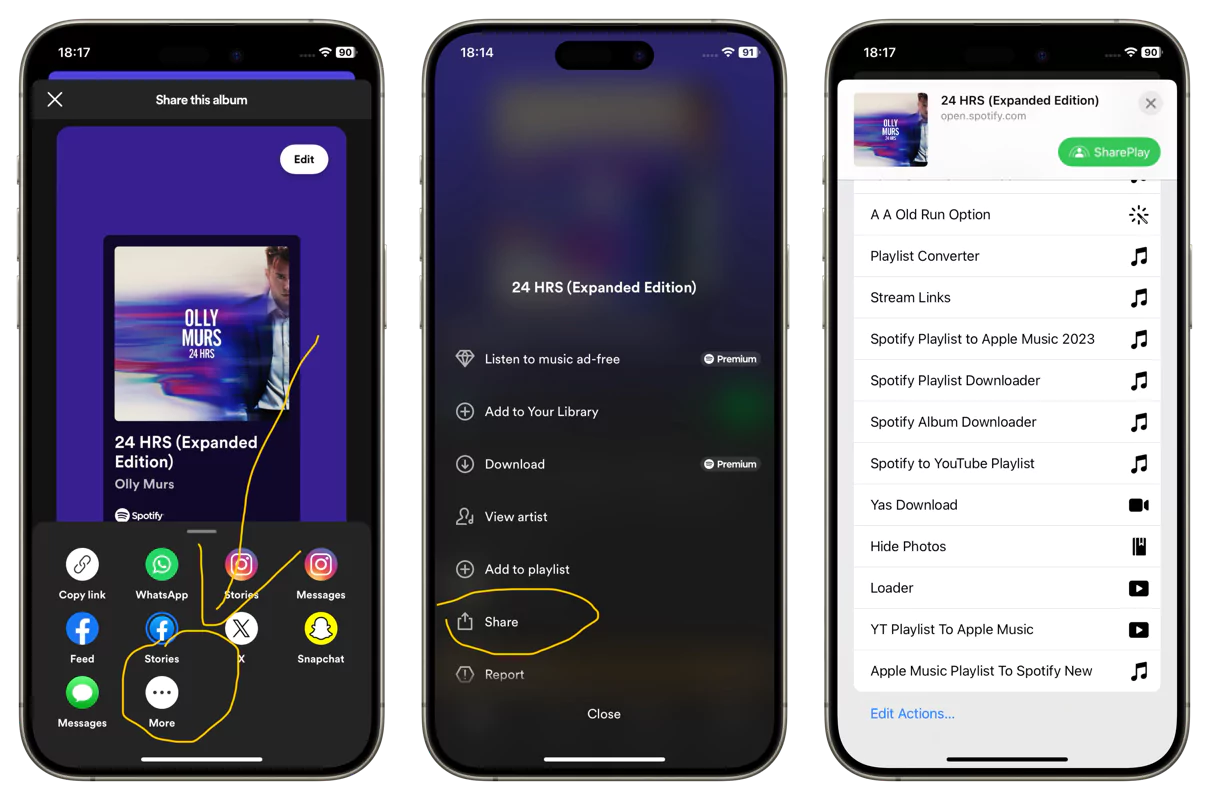
Step 1. When you listen to an album on Spotify, tap the three-dot icon and select Share.
Step 2. Tap More and scroll down to select the Spotify Album Downloader shortcut.
Step 3. The shortcut will start to download all tracks in the album without leaving Spotify.
When it is done, you can find the downloaded music files in the Files app> iCloud/Shortcuts folder. If you want to change the default download location, you can open the shortcut and locate the Save Rename Item action. For example, you can unfold the action and toggle on Ask Where to Save option. This way, it will prompt you to select a location to save the file when a download is complete.
Get the latest version
This is the initial release of this shortcut. It only works if you input a Spotify album link. In the next version I will make it accept Spotify track links and download the entire album the track belongs to.
If you have suggestions for future updates, leave a comment down below.
Need Help or Higher Quality Music
The Spotify Album Downloader shortcut only downloads music at 128kbps. I have also made a Spotify Downloader HQ shortcut to download Spotify tracks in 320kbps or even in lossless format. As you know Spotify does not offer lossless music, so the music source is Tidal. That is to say, the shortcut will match Spotify tracks to Tidal tracks and download songs from Tidal in FLAC.
The Spotify Downloader HQ shortcut is available in our premium plan. You can click the button below to get the shortcut for better quality music.
If you run into any errors while using the Spotify Album Downloader shortcut, be sure to contact us. The Chrunos team will help you solve it or release a new version to fix the error. You can also join our Telegram group for new releases and updates.
Other Ways to Download Spotify Albums
If you don’t like the Shortcuts method, you can use a few other methods to download all tracks in a Spotify album.
OnlineSpotify Album Downloader
In 2025, many Online Spotify Downloaders enable you to download Spotify albums in one go. As an online web tool, you can use it on Android, iOS, Windows, or Mac. When you copy and paste the Spotify album URL to the online downloader, it will display all the tracks in the album. Then you can choose to download some of the tracks or download all tracks at once.
Dedicated Spotify Downloader App
Note: This post contains affiliate links. If you purchase through these links, I may earn a small commission at no extra cost to you.
Besides online downloaders, you can also use a dedicated Spotify Downloader app if you want to download Spotify albums constantly. Among all the Spotify Downloaders for Windows or Mac, I recommend FliFlik Spotify Music Converter.
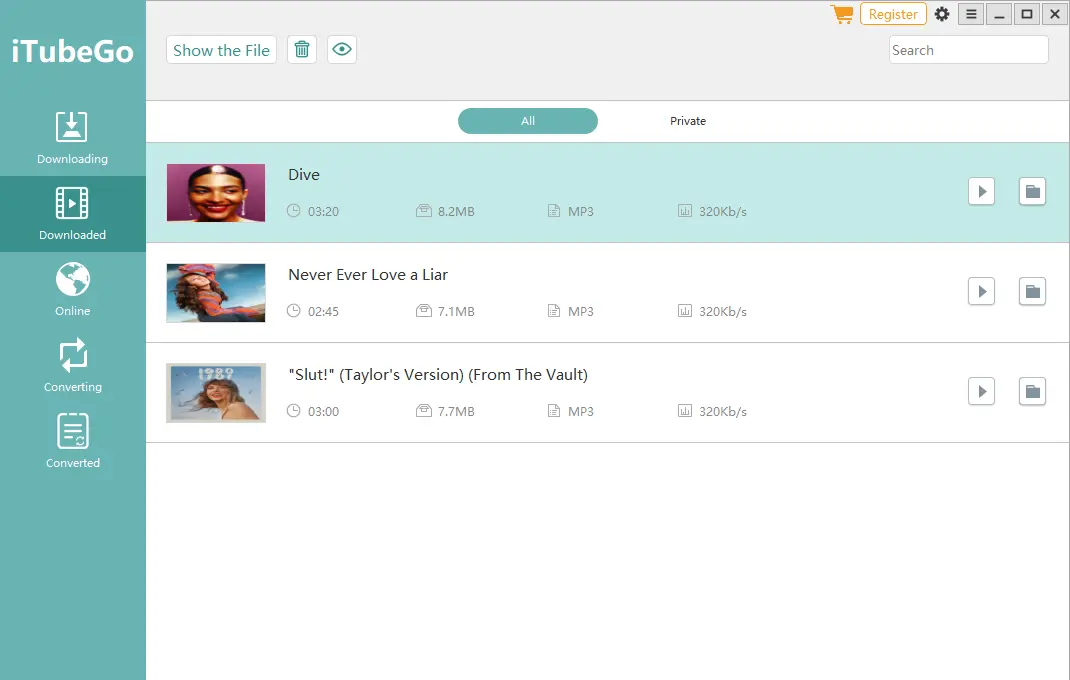
It is available for both Windows and Mac. Besides Spotify, you can download music from Tidal, Deezer, SoundCloud, YouTube, and more. What’s more, you can use it to download videos from thousands of websites, including Onlyfans, Instagram, Facebook, and YouTube.
Conclusion
The Chrunos will continue to maintain and update this Spotify Album Downloader shortcut. In addition, we have made a few other Spotify shortcuts for iOS using Spotify API. If you have any problem using it, be sure to let us know.