 Chrunos
8 Free Ways to Download Spotify to MP3 in 2026
This article will show you 8 ways to download songs from Spotify as MP3 without recording even if you don’t have Spotify Premium. No matter what devices you use, you can find at least 2 methods that work for you.
With these methods, you can download Spotify songs to MP3 in 320 kbps or 128 kbps. You may choose one that suits you the best.
Disclaimer
All these methods are for personal or educational use only.
You should not use any of these tools to pirate or distribute music.
Some of the methods may be illegal to use in your country, so be informed.
Method 1: Spotify to MP3 Shortcut for iPhone or Mac
If you are using an Apple device, you probably have heard of the automation application Shortcuts, which is the updated version of Workflow. I have two shortcuts to help you download music from Spotify.
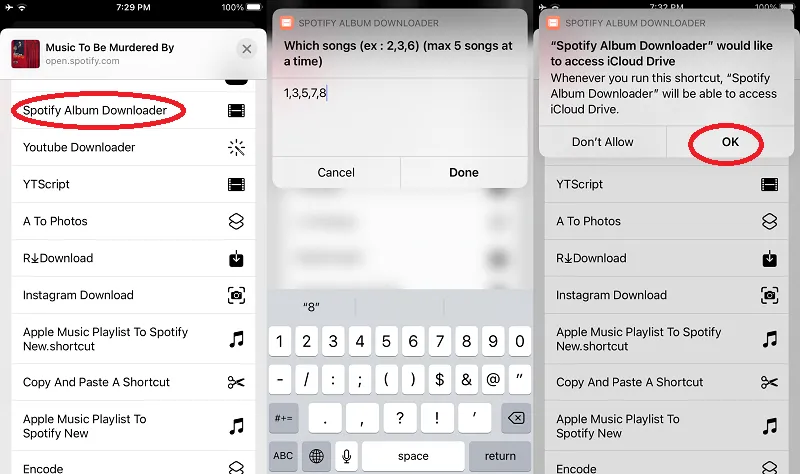
This Spotify To MP3 shortcut allows you to download tracks from Spotify to your iPhone or iMac. You can save the downloaded MP3 files to the Files app or add to your music player like VLC. You can run this shortcut from Spotify share sheet or copy the Spotify track link to run this shortcut.
All downloaded tracks are 128kbps. If you prefer higher quality, there is an option to download 320 kbps or FLAC (Music sourced from Tidal).
When downloaded, it will ask you to select a location to save the downloaded MP3 files. Shortcuts app is also available on Mac. If your Mac is running macOS 12 or newer versions, then you can also run this shortcut on your Mac to download music from Spotify.
Within the shortcut, you can also get the Spotify Playlist Downloader shortcut to download Spotify playlist to MP3 on your iPhone or Mac. Keep in mind, to pass Spotify normal URL to the Playlist Downloader shortcut instead of Spotify short URLs.
For advanced users, you can also use Shortcuts to Move Spotify Playlist to Apple Music and vice versa. However, the authentication process is a little complicated when you want to transfer playlists to Spotify by using Spotify API.
Method 2: Download Spotify to MP3 Using Telegram Bots
If you use Telegram, you can simply use a Spotify MP3 Telegram bot to download free music whether you are on Android or iOS. It does not require any setup or your Spotify account login info. All you need is this @Spotify_downloa2_bot. You can search for it on Telegram to get started.
After you get this bot, type “/start” (without quotes), and then you can paste any Spotify track link to start downloading music for free. If you are using iOS, you may want to tap the Share button and save to Files after the music is downloaded.
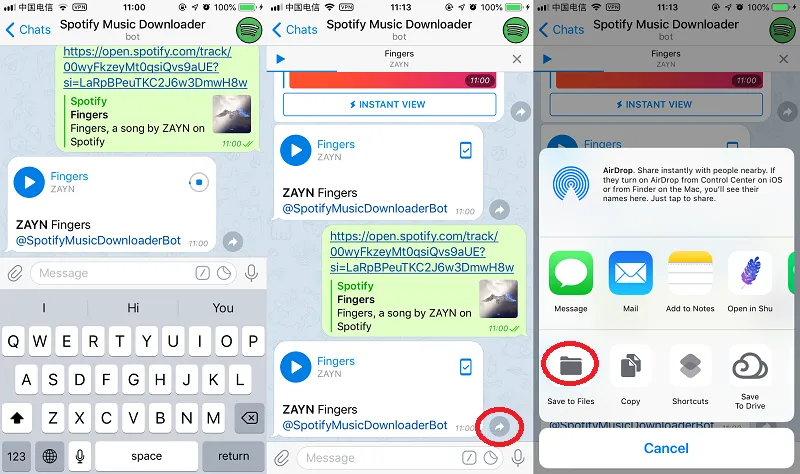
If you do like using Telegram bots to download music, you probably also want to check this post to get more Telegram Bots for music.
Method 3: Download Spotify Music to MP3 on Android
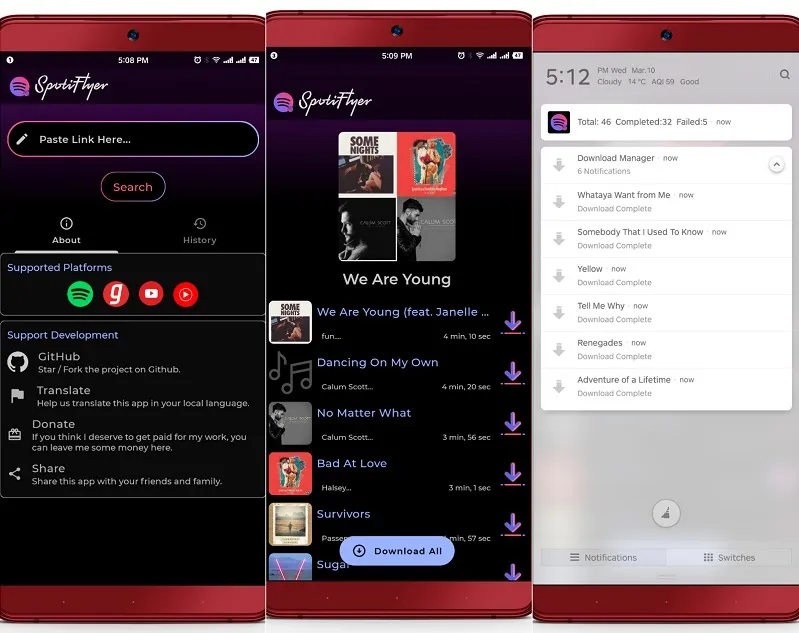
SpotiFlyer used to be a good Spotify downloader for Android and other platforms, but it won’t receive any updates. The author of SpotiFlyer will from now on publish plugins for Soundbound.
I have tried Soundbound. It is a great Android app for streaming and downloading music from multiple sources including Spotify, YouTube, SoundCloud, Jamendo, etc. To use Soundbound to download Spotify songs on Android, you need a little setup as follows.
Step 1. Free download Soundbound from Google Play Store. When you launch the app, it has no music to display, which is normal.
Step 2. Open the app and go to Settings. Tap on “Available Source Repo’s” and select “Add Repo”.
Step 3. Copy the Source Repo URL below or from the SoundBound website. Give the Repo a name and paste the Repo URL. Tap “Add” to add the Repo.
https://soundbound.app/sources/private-extensions.jsonStep 4. Unfold the option “Installed Sources”, and check Spotify. You can may check or uncheck other sources like Saavn Provider, Youtube, Soundcloud, Gaana, and Jamendo.
Step 5. Go back to the home tab and then you can download Spotify tracks, albums, and playlists by searching or URLs.
I recommend enabling YouTube and Soundcloud, so you can listen and download music from YouTube and Soundcloud. If you want to convert Spotify songs to MP3, you can enable the option “Save as MP3” in Settings.
Method 4: Download Spotify to MP3 Online
Recently, I have also found a Spotify online music downloader that allows you to download any Spotify playlist or track as MP3. You may choose to download all songs in a playlist as a zip file or download some tracks in the playlist.
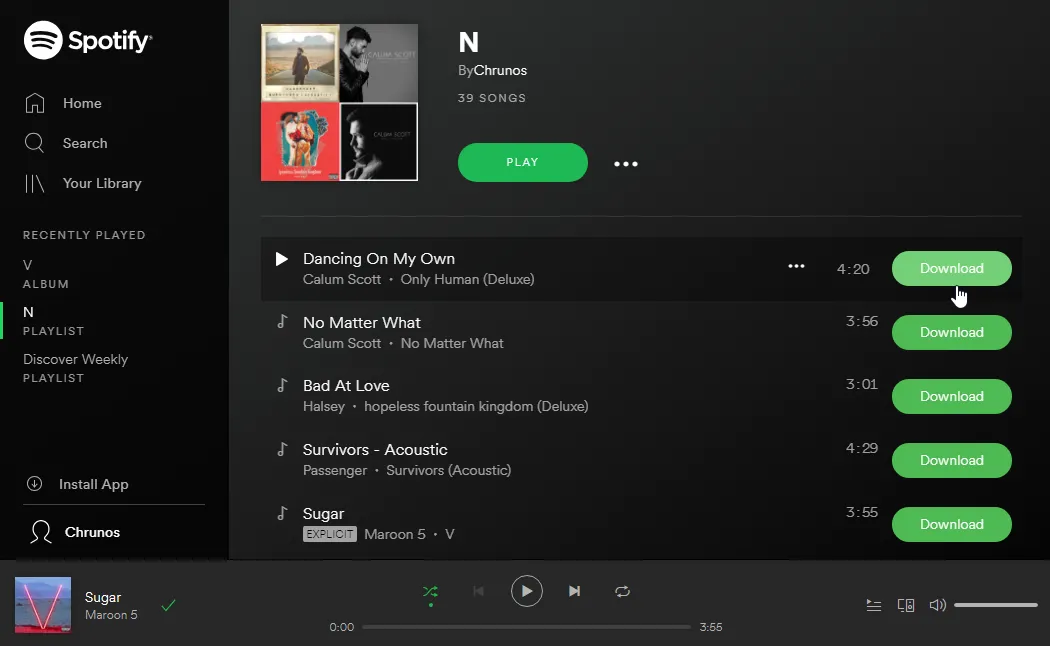
Once you land on the web page, you can paste a URL to a Spotify playlist or track to start downloading. All music will be downloaded as MP3. Then you can add the downloaded Spotify music to your iPod, iTunes, or any music player.
Don’t trust the online downloader? You can install the Tampermonkey script for your browser, which will add a download button on the Spotify web player.
Method 5: Spotify Downloader Userscript for Web Player
If you listen to Spotify mostly through the web player, a userscript can save you a lot of copying and pasting. You need to install a userscript manager extension first, such as Tampermonkey or Violentmonkey.
After that, you can install this Spotify Downloader userscript from Greasy Fork, which is open source. It runs on top of the Spotify web player and adds a green download button next to every song in the track list.
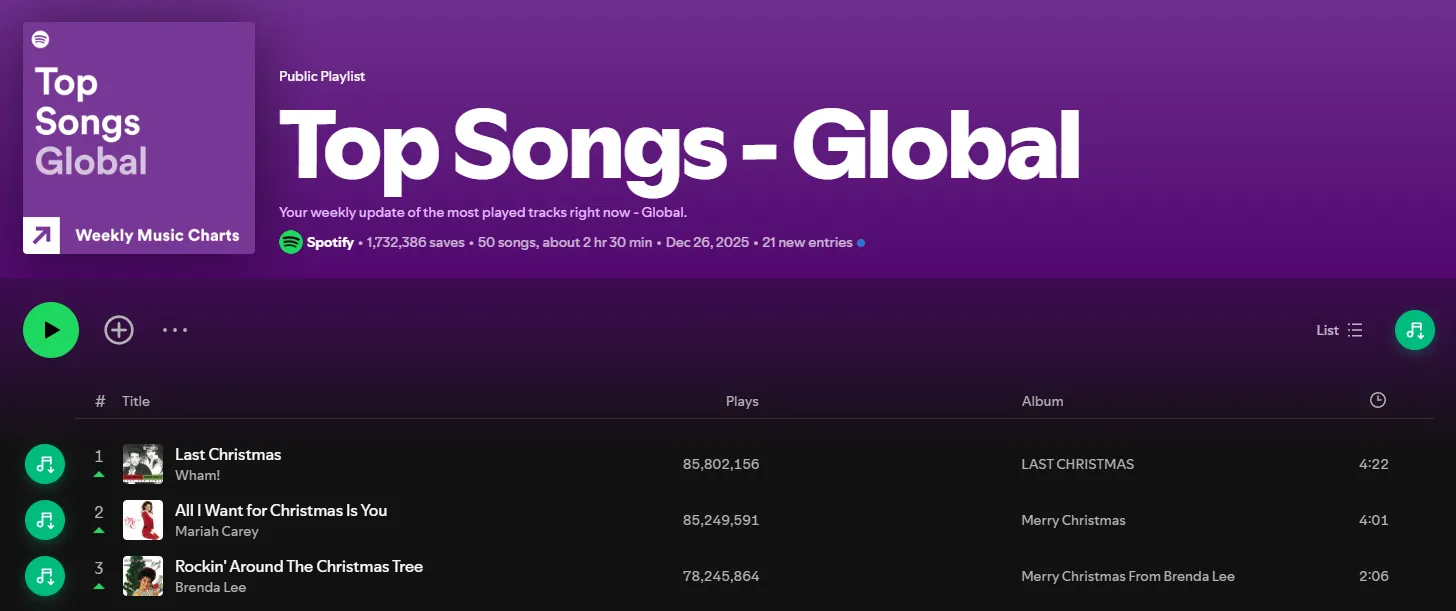
When you open an album, playlist, or artist page, you will also find a download button in the action bar, which allows you to grab the whole album, playlist, or even the artist’s full discography. Simply click the button, and the script will take you to a download page where you can save the music as MP3, OGG, or Opus.
Method 6: Spotify Music Downloader for PC
Onthespot is a Spotify music downloader written in Python. This open-source project allows You to download music from Spotify directly to your PC or Mac. It offers Search Spotify and Download by URL. You can enter a URL to a track, album, or playlist to download Spotify songs to MP3.
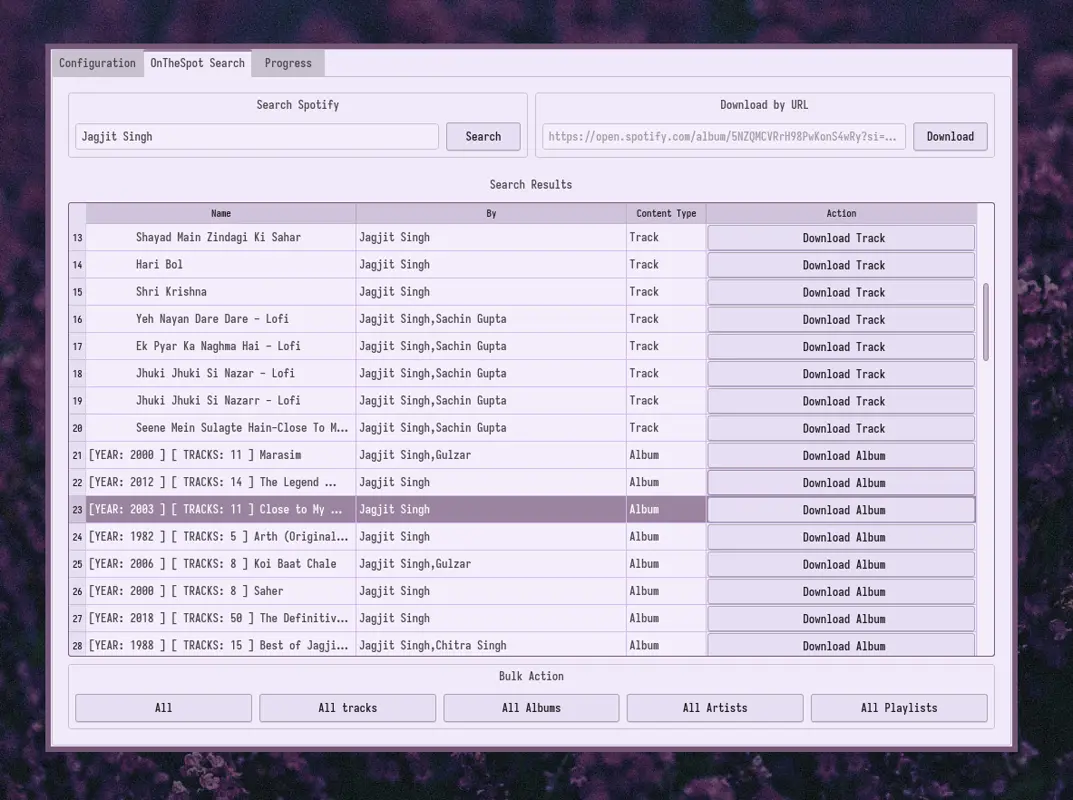
Onthespot also embeds unsynchronized lyrics into metadata and allows .lrc file downloads. Additionally, It allows you to download Spotify podcasts to MP3 or other formats.
You can use the Spotify Downloader for Windows by downloading the exe file from its release page. For macOS or Linux, you can install it from the terminal.
Method 7: Spotify to MP3 Converter - TuneMobie
Many programs claim to be able to convert Spotify, but deep down they are recording the audio, TuneMobie is one of them. I tried both free and paid versions. Let me tell you how it really works.

When you open this program, TuneMobie asks you to launch the Spotify app or download it if you haven’t. Then you can see in the preference where you can select to save as mp3, m4a, WAV, and FLAC. These are all the supported audio formats and other settings that you customize.
When you try to convert a song, the Spotify app actually plays the song, but you hear no sound. Compared to other audio-recording kinds of competitors, Tunemobie Spotify Converter is 5 times faster. Usually, it takes less than 1 minute to convert a song.
You can also copy a playlist link to download Spotify playlist as MP3 or other formats. The trial version allows you to download (record) unlimited tracks for the first 3 minutes in 30 days, which is much better than its competitors.
Method 8: Terminal Music Downloader for Advanced Users Only
Since Chimera is almost out of the game, you can use another one called Streamrip. It is open-source and free for educational and private use only. It is very powerful, but the setup process is more complicated than the other methods.

Streamrip supports downloading music from Deezer, Qobuz, Tidal, YouTube, and Spotify through Last.fm. You can import your Spotify playlist to Last.fm. Then you can use Streamrip to download the last.fm playlist sourced from Deezer, Tidal, YouTube, or Qobuz.
As you know, Tidal and Qobuz provide high-res quality music. If you have a paid subscription, you can use this tool to download Spotify playlists in very high quality in FLAC format. Based on your choice, you need also to set up Deezer, Tidal, or Qobuz accounts.
Update: Chimera is discontinued. If you already have the installation files, it should work fine with Spotify. Chimera can no longer download music from Tidal and Qobuz in 2023.
Conclusion
That’s all the 8 different methods for downloading Spotify music to MP3. If you really love the Apple ecosystem, Shortcuts is a great way to download music on iPhone.
I made the Spotify to MP3 and Spotify Playlist Downloader shortcuts. If you have any issues using them, leave a comment down below or contact me directly. If you prefer higher quality of music, you can also try my Qobuz Downloader shortcut.
Now, it is your turn. Which method are you going to try first? If you have other better methods to download music from Spotify, please share them in the comments.